93rd Street #16-46, Office 404, Zenn Office PH Building
Medellin
Cra 43rd No. 7-50, Office 1102 - Dann Carlton Business Center
Cali
Cra 100B #11A -19 Office 516 Pance Tower
Espain
Madrid
Calle Conde de peñalver, 45, entre planta oficina 2, 28006, Madrid
USA
Miami-Florida
1000 Brickell Av, PMB 5137
Mexico
Mexico DF
Av. Rio Misisipi 49 Int. 1402, Cuauhtémoc
Panama
City of Panama
Calle 50, edificio, torre BMW, San Francisco
Performance testing without limits with JMeter
Performance is key to the success of any application. Master JMeter and make your systems shine under pressure.
See more articles
Mexico claims to have saved 14 billion pesos by building its own software. The other half of the bill is missing
Organizations currently celebrating what they avoided spending will, in a year or two, have to account for what it costs to maintain what they built.
77% of large enterprises trust that they know all their AI agents. Only 44% have a way to prove it
The challenge is not merely implementing AI agents.It is knowing precisely which ones are running, who bears accountability for them, how their outputs are validated, and how swiftly they can be shut down when something fails.
We Warned You in Our Webinar, and Bre-B Confirmed It
There is no way to guarantee that a participant in an interoperable payment ecosystem will never fail again; that exceeds what any single institution can control.
Autonomous AI Agents Making Purchases: Who Is Liable When They Fail?
Applying agentic AI to payments requires the exact same level of rigor as any system handling third-party funds—extended to a type of actor that did not exist two years ago: one that decides and executes, rather than merely recommends.
680 customers exposed without a single line of code being breached
The same neobank that just received its full banking license in Colombia confirmed, three days earlier, a data breach that didn’t involve a single hacked server.
Everyone’s selling AI as a way to go faster. Science says almost no one has succeeded
The institution that takes this scenario seriously and builds the discipline of measurement, governance, and continuous testing necessary to respond to it with evidence will not only avoid the error that science has already documented.
What is JMeter?
Apache JMeter is an open-source tool designed for load and performance testing, originally developed to test web applications. Today, JMeter is used for a variety of services, including databases, FTP servers, web services, and more.
What is JMeter used for?
JMeter is essential for evaluating the performance of applications under different load conditions. It allows developers and testers to simulate multiple simultaneous users and measure how the application responds. This helps identify bottlenecks, performance issues, and ensures the application can handle the expected traffic.
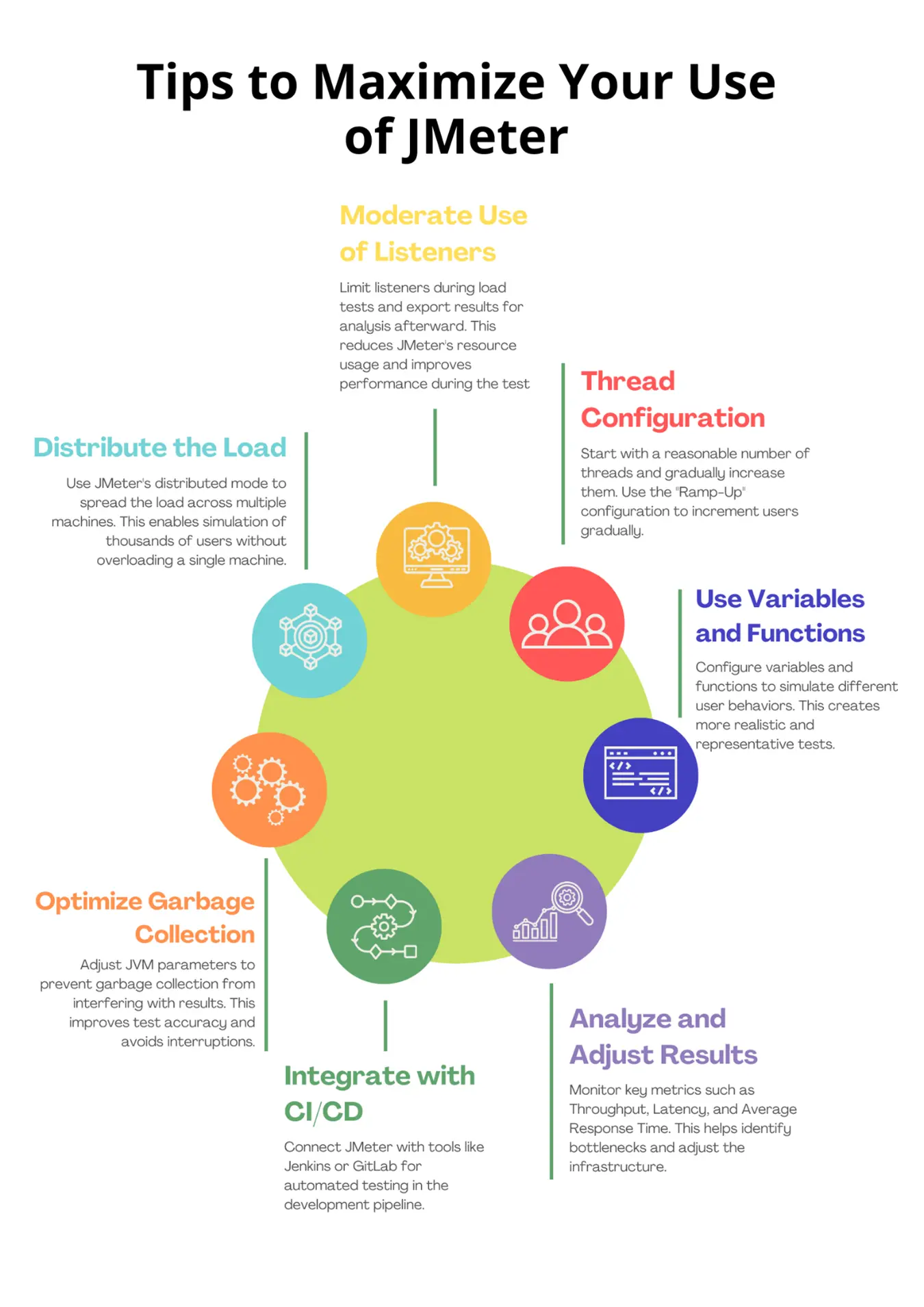
Tips to maxime your useof JMeter
JMeter is a flexible and powerful tool for performance testing, but its true value is maximized when used optimally. Properly configuring threads, correctly analyzing results, and using distributed modes are just a few best practices that will help you achieve accurate and efficient results. Leverage these recommendations and turn your performance testing into a competitive advantage for your organization.
Author: Carol Ortega, líder de servicio de performance
Press enter or click outside to cancel.
Puedes configurar tu navegador para aceptar o rechazar cookies en cualquier momento. Si decides bloquear las cookies de Google Analytics, la recopilación de datos de navegación se verá limitada. Más información.